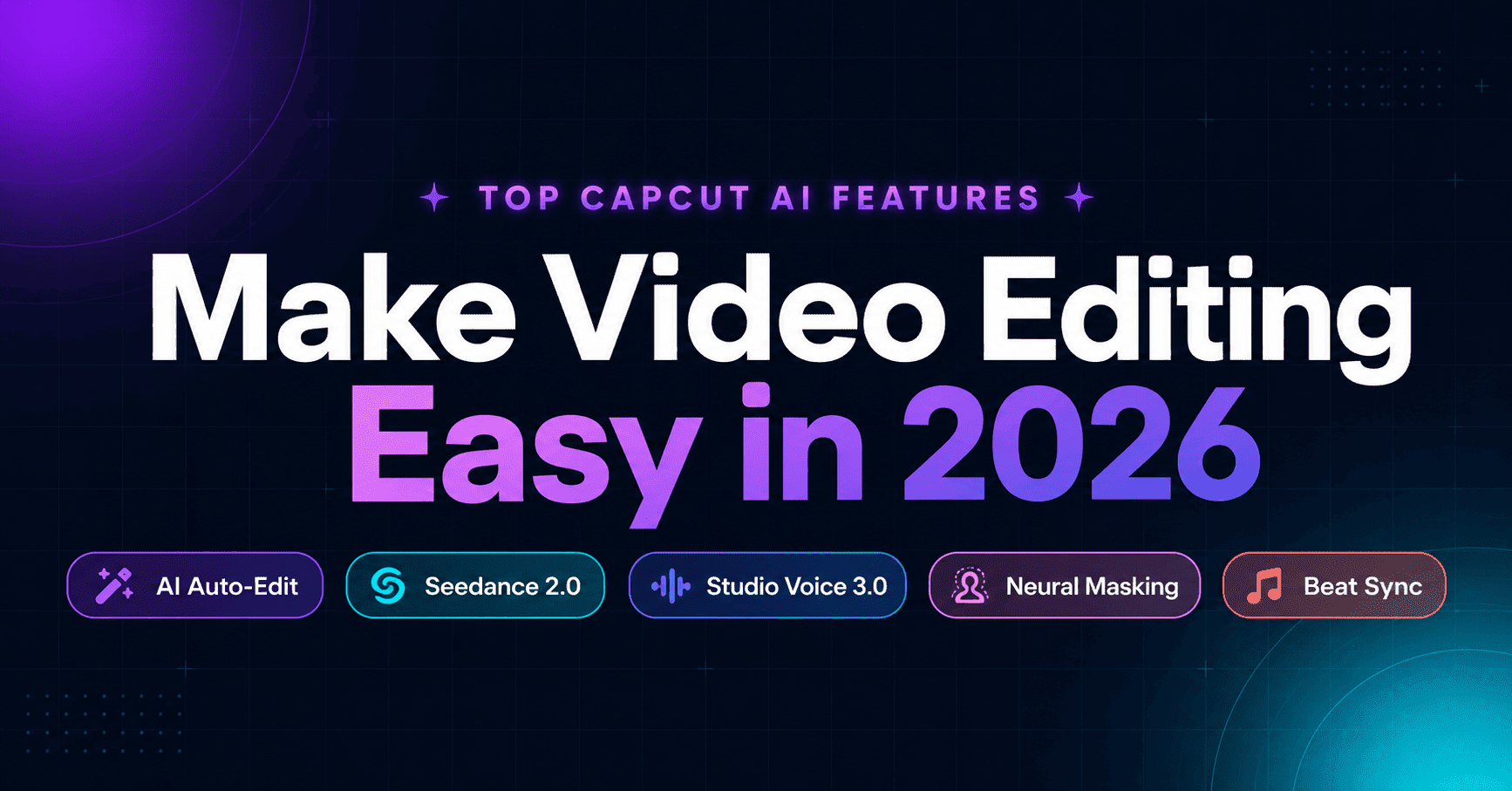
Top CapCut AI Features That Make Video Editing Easy in 2026
Video editing in 2026 no longer requires expensive software or a film school degree. CapCut has quietly become the most powerful AI-first editor on the planet and the gap between what a solo creator can produce today versus two years ago is genuinely staggering. CapCut AI Features offers a comprehensive suite of AI-powered tools designed to automate and elevate video creation.
This isn’t your 2025 CapCut review repackaged. ByteDance has shipped major architectural upgrades this year including a fully generative effect engine, Dreamina Seedance 2.0 integration, Studio Voice 3.0, Neural Masking, and a new Pro Elite tier built for serious content businesses.
Whether you’re a TikToker, a small business owner producing weekly promos, or a faceless content creator scaling YouTube Shorts, this blog post covers exactly what’s new, what actually works, and what’s not worth your time.
Also Read about : CapCut vs InShot: Which App Is Right for You
What’s Actually New in CapCut’s 2026 AI Architecture
The 2026 version of CapCut isn’t an incremental update. It’s an architectural shift. Previous versions of the app used AI as a layer on top of manual editing. In 2026, the AI is the editor — the human role has moved from technical operator to creative director.
According to independent analysis of the platform’s update history, CapCut now serves over 200 million monthly active users across mobile, desktop, and web. The 2026 release represents the biggest leap since the app launched.
The core change: CapCut now offloads heavy AI inference scene analysis, quality scoring, effect generation to ByteDance’s GPU cloud infrastructure. This means even mid-range laptops and older smartphones can run features that would have required a high-end workstation two years ago.
Also Read about : New Fashion Effect CapCut Template: How to Use It to Create Viral Fashion Edits
AI Auto-Edit: The Multi-Stage Analysis Pipeline
The headline feature of 2026 is AI Auto-Edit, and it goes well beyond the old “Auto Cut” tool. Drop your raw footage in, and CapCut runs a four-stage analysis pipeline before making a single edit decision.
Stage one is visual scene analysis the AI identifies distinct scenes, camera movements, facial expressions, and objects of interest. It categorizes every clip: talking head, B-roll, product shot, action sequence, or establishing shot. Stage two runs audio processing simultaneously speech content, music, ambient noise, and silence gaps are all mapped.
Stage three is automatic assembly. The system generates a first cut that reviewers consistently describe as near-publishable for structured short-form content. For more complex or creative productions, it delivers a strong draft that cuts total editing time by 60–80% compared to manual work.
Stage four is platform optimization the AI formats the cut specifically for TikTok, Instagram Reels, YouTube Shorts, or landscape video, applying the pacing rules and caption conventions each platform rewards.
Neural Masking: The Old “Holy Grail” of Editing
One of the most significant technical upgrades in 2026 is Neural Masking. Traditional background removal required green screens or frame-by-frame rotoscoping. CapCut’s Neural Masking identifies complex subjects including flowing hair, moving clothing, or a person walking behind a fence and isolates them with a single click.
Independent reviewers who tested the 2026 desktop and browser editions found background removal to be one of the standout performers for talking-head videos filmed against plain walls: clean edges, minimal flickering, and surprisingly accurate handling of hair. Limitations remain for complex backgrounds where the subject’s clothing matches surrounding colors, or low-light footage under roughly 400 ISO.
The AI Effect Engine: From Library to Generator
This is genuinely new. In previous versions, CapCut offered a curated library of effects you browsed and applied. The 2026 AI Effect Engine is a generative system you describe an effect in natural language, and the AI builds it from scratch.
Type “glitch transition with neon colors” or “smooth zoom into product close-up,” and the engine generates a custom effect tuned to your specific clip. The library still exists over 50,000 pre-built effects but the generative layer means you’re no longer limited to what’s already been made.
Generated effects are fully editable after creation. Timing, intensity, colors, and blending modes can all be adjusted manually. The AI also recommends effects based on your content type: clean zoom and spotlight for product shots, dynamic transitions for action footage, gentle fades for emotional moments.
CapCut’s 2026 Caption and Voice Features
Audio and text tools have taken the biggest leap forward this year. These aren’t minor tweaks — the gap between 2025 and 2026 in this area is significant.
How Accurate Are Auto Captions in 2026?
Auto Captions in 2026 support over 130 languages with near-native accuracy and now handle code-switching mixing languages mid-sentence without breaking. For clear English speech recorded with a decent microphone, accuracy sits between 94% and 96%. Strong accents, background music, or poor audio quality can pull this down to around 85%.
Reviewers who stress-tested the feature with both Scottish and London presenters noted that 10-minute videos are transcribed in roughly 15–20 seconds on the desktop app. Before auto captions existed, manually subtitling a 10-minute video took 30–45 minutes. That time is now closer to under 10 minutes including corrections.
For context, research has consistently shown that the overwhelming majority of social media video is watched without sound auto captions aren’t a nice-to-have, they’re a distribution multiplier.
Studio Voice 3.0: AI That “Re-Mics” Your Audio
Studio Voice 3.0 is one of the most talked-about 2026 additions. It goes well beyond simple noise reduction. The feature processes your raw audio to sound like it was recorded in a treated professional booth.
In practical testing, a voiceover recorded on a phone in a windy room was processed to approximate the quality of a professional Shure SM7B microphone recording. The key is restraint setting the enhancement slider between 40–60% yields natural-sounding results for social media. Pushing it to 100% can introduce a slightly processed quality.
For creators who film or record in imperfect environments, this effectively removes one of the biggest barriers to professional-sounding content.
Text-to-Speech With 269 Voices and Voice Cloning
CapCut’s Text-to-Speech now offers 269 distinct AI voices spanning different accents, tones, genders, and styles. This is a significant expansion from the limited library of previous years.
Voice cloning remains one of the more powerful features available in Pro: provide a short audio sample, and CapCut builds a custom voice model that you can use for narration across any project. For creators who need consistent brand narration without re-recording, this is genuinely useful — and it saves hours when a script changes after recording.
Global Voice Sync: Multilingual Dubbing in Your Own Voice
The 2026 Pro update introduced Global Voice Sync, which translates and dubs your voiceover into 30+ languages while cloning your specific vocal tone. It also adjusts lip movements in the video to match the dubbed audio.
For creators targeting international audiences, this moves the needle significantly. What previously required a team of translators, voice actors, and motion graphics artists can now be done in a single workflow.
Dreamina Seedance 2.0: AI Video Generation Inside CapCut
The most significant new capability in 2026 isn’t an editing feature — it’s the integration of ByteDance’s Dreamina Seedance 2.0 model directly into CapCut.
What Is Seedance 2.0?
Confirmed by TechCrunch in March 2026, Seedance 2.0 allows creators to generate, edit, and sync video and audio content using text prompts, images, or reference videos. The model produces realistic textures, movement, and lighting across a range of visual perspectives — a capability AI video tools have historically struggled with.
The system supports up to 12 clips per project 9 images, 3 videos, and 3 audio clips — each clip up to 15 seconds. It generates content without reference images if needed; a few words describing a scene is enough for the model to build from.
Use cases officially supported include cooking tutorials, fitness content, business overviews, and product demos. Motion and action-focused content previously the weakest area for AI video generation — performs notably better in Seedance 2.0 than in earlier models.
How Does It Connect to CapCut’s Editor?
Generated content flows directly into CapCut’s main editor. You can add titles, transitions, color grading, and assemble multiple AI-generated clips into longer projects. This pipeline from AI generation to final edit happens without leaving the app.
The rollout is currently phased and limited to select global markets including Brazil, Indonesia, Malaysia, Mexico, and several Southeast Asian regions, with expansion ongoing. Some reports indicate US availability through the CapCut PC app.
Seedream 4.5 for AI Image Generation
Alongside video generation, CapCut’s Seedream 4.5 model handles text-to-image creation for thumbnails, covers, and marketing assets. It maintains consistent character and style across multiple reference-based generations a critical feature for brand campaigns and supports 4K output with professional typography accuracy in both English and Chinese.
For creators who produce thumbnails or promotional graphics at scale, this removes the need for a separate design tool in many workflows.
AI Video Maker and Smart Templates in 2026
Content production at volume requires more than good editing it needs a fast pipeline from concept to published clip. CapCut’s 2026 AI Video Maker addresses exactly this.
How Does the AI Video Maker Work?
Open the AI Video Maker tab (requires version 6.8.0 or newer), input a topic, and CapCut generates a complete video in roughly 90 seconds: script, visuals, voiceover, and captions assembled automatically. You can swap voice styles, replace AI visuals with stock media, and push the entire project into the main editor for refinements.
Reviewers are consistent on one point: don’t use AI Video Maker output as-is. Adding your own music, adjusting pacing, and customizing captions is what separates content that performs from content that looks template-generated.
Long-Form to Short-Form: Automated Clip Extraction
For YouTubers and course creators, the Long-to-Short feature is arguably the most time-efficient tool in the entire platform. Upload a webinar, podcast, or full YouTube video, and CapCut’s AI identifies the most engaging moments and exports them as ready-to-post TikTok, Reels, and Shorts clips without manual editing.
One long-form asset becomes multiple distribution-ready clips. For solo creators managing content across platforms, this compresses what used to be hours of repurposing work into minutes.
AI-Powered Smart Media Search
New in 2026: AI Media Search lets you describe what you’re looking for in natural language across your entire media library. “Clips of the mountain at sunset” or “talking-head shots from last week” — the AI surfaces matching content from your projects and cloud storage without manual browsing.
For creators with large archives, this addresses one of the most quietly frustrating parts of the editing workflow.
CapCut Free vs. Pro in 2026: Where the Paywall Actually Sits
Understanding the free vs. paid split in 2026 is more nuanced than previous years, because CapCut has introduced a three-tier model.
What’s Free in 2026?
The free tier remains genuinely capable for short-form creators. Auto Captions (in 20+ languages), AI Auto-Cut, background removal on clips up to roughly 30 seconds, 1080p export, and timeline AI suggestions are all free. These features don’t consume AI credits.
What Does CapCut Pro Unlock?
CapCut Pro at $7.99/month unlocks 4K Ultra HD export at up to 60fps with HDR 10-bit support, AI Ultra HD upscaling (new in January 2026’s version 16.3.5), voice cloning, AI long-video generation, bulk background removal, commercial asset licensing, and 100GB cloud storage.
A key 2026 change: many generative AI features now consume a separate AI Credits pool. Pro users receive approximately 200 credits per month. AI avatar generation costs 20–40 credits per video; voice cloning costs 10–25 credits per minute. Standard editing tools — captions, auto-cut, background removal do not consume credits.
Creators producing fewer than 5 AI-generated videos per month will find Pro’s included credits sufficient. Those going beyond that should budget an additional $10–15/month in credit top-ups.
The New Pro Elite Tier
For high-volume production, Pro Elite at $19.99/month removes the credits ceiling entirely, gives full access to the “Smart Director” AI agent, and expands cloud storage and team collaboration features. For agencies and social media managers producing daily content across multiple clients, the time savings justify the cost reviewers estimate the AI agent alone saves 1–2 hours of editing per video.
Is CapCut 2026 Worth It? The Honest Verdict
CapCut’s 2026 AI features are not all equal. After hands-on testing across the desktop and browser editions, the tools that consistently deliver genuine time savings are Auto-Edit and captions (both free), background removal and Beat Sync for music-driven content (free), Studio Voice 3.0 for audio cleanup (Pro), and Long-to-Short clip extraction (Pro).
The tools worth skipping: the AI Script Generator produces generic, committee-style copy that takes longer to rewrite than to write yourself. AI Style Transfer (anime, oil painting effects) is a novelty that rarely survives in published content. AI Sound Effects produces usable results about one in five times free libraries like Pixabay and Freesound are more reliable.
The tools to watch: Dreamina Seedance 2.0 is in phased rollout and represents the future of CapCut’s generative capabilities — once availability expands, it will change what a solo creator can produce without any camera footage.
CapCut in 2026 is no longer just a mobile editor. For short-form and social media content, it’s the most complete AI-native editing platform available and a large portion of it is free.
Conclusion
The gap between CapCut’s 2025 and 2026 feature sets isn’t incremental it’s a category shift. AI Auto-Edit with multi-stage pipeline analysis, the generative AI Effect Engine, Seedance 2.0 video generation, Studio Voice 3.0, and 130-language captions put capabilities that used to require a professional post-production team into a free app on your phone or laptop.
Start with AI Auto-Edit and Studio Voice 3.0 to see the time savings immediately. Add Long-to-Short clip extraction if you produce any long-form content. Explore Seedance 2.0 when it reaches your region — it signals clearly where video creation is heading. Your audience expects polished, well-paced, captioned video. CapCut in 2026 makes that standard achievable without hiring anyone.
Frequently Asked Questions
What is the biggest new feature in CapCut 2026?
AI Auto-Edit is the headline upgrade it analyzes raw footage through a multi-stage pipeline covering visual scenes, audio, pacing, and platform requirements, then assembles a near-publishable cut automatically. For short-form content, it reduces editing time by 60–80%.
Is Dreamina Seedance 2.0 available in all countries?
Not yet. As of May 2026, the phased rollout covers Brazil, Indonesia, Malaysia, Mexico, Philippines, Thailand, Vietnam, and several African, South American, Middle Eastern, and Southeast Asian markets. Some US availability is reported through the CapCut PC app, with broader expansion ongoing.
How accurate are CapCut’s auto captions in 2026?
For clear English speech in a quiet environment, accuracy sits between 94% and 96%. Strong accents, competing background music, or poor recording conditions can reduce this to around 85%. Captions are always manually editable before publishing.
What is Studio Voice 3.0 and is it free?
Studio Voice 3.0 is an AI audio enhancement tool that processes phone or room recordings to approximate professional studio quality. It’s available on the Pro plan. Setting enhancement levels between 40–60% produces natural-sounding results; higher settings can sound over-processed.
What AI features are completely free in CapCut 2026?
Auto Captions (20+ languages), AI Auto-Cut, background removal on clips up to ~30 seconds, Beat Sync, Smart Reframe, and 1080p export are all free. These core editing AI tools don’t consume AI credits and are available without a subscription.
What is the difference between CapCut Pro and Pro Elite in 2026?
Pro ($7.99/month) unlocks 4K export, voice cloning, AI long-video generation, and 200 AI credits/month. Pro Elite ($19.99/month) removes the credits cap entirely, adds full Smart Director AI agent access, and is designed for high-volume content businesses or agencies.
Which CapCut AI features should I skip in 2026?
The AI Script Generator produces generic output that requires heavy rewriting. AI Style Transfer (anime/painting effects) rarely works in final published content. AI Sound Effects is inconsistent, with usable results roughly 20% of the time free libraries are a more reliable choice.